Compliance Onboarding
Compliance Onboarding
The Compliance Onboarding process allows new providers to register and submit their business, service, banking, and compliance information through the Sensible Care platform.
To access this page, navigate to the landing page and click the Register button.
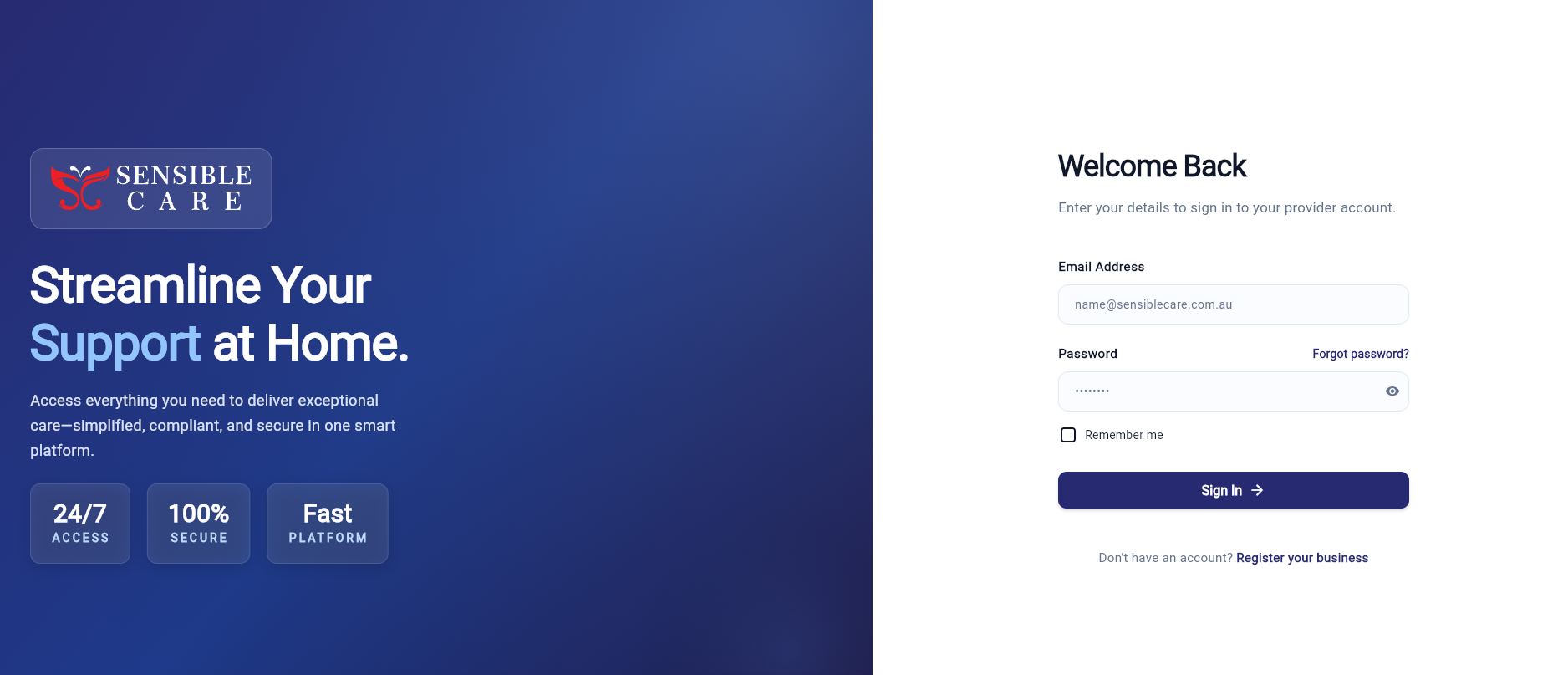
Getting Started
Before starting your registration, ensure you have the following information ready:
- ABN number
- Business contact information
- Service details and pricing
- Bank account details
- Compliance and certification documents
All required fields are marked with a red asterisk *.
Your progress is automatically saved during onboarding.
Business Information
The Business Information section collects your organisation’s registered details.
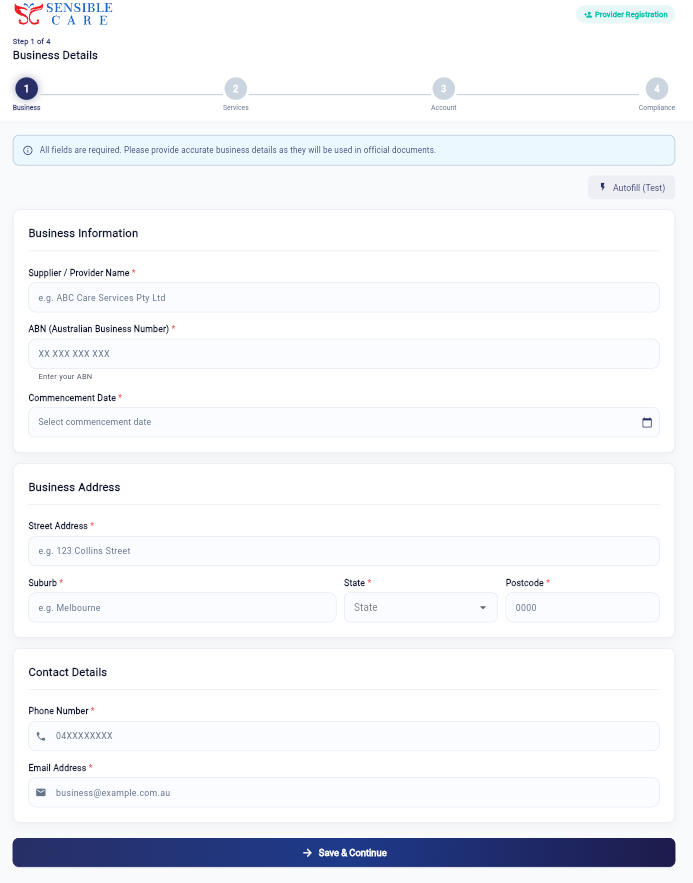
Required Information
- Supplier / Provider Name
- ABN (Australian Business Number)
- Commencement Date
Business Address
- Street Address
- Suburb
- State
- Postcode
Contact Information
- Phone Number
- Email Address
Ensure all information matches your official ABN registration details.
After completing this section, click Save & Continue to proceed.
Service Details
The Service Details section allows providers to configure the services they offer through the platform.
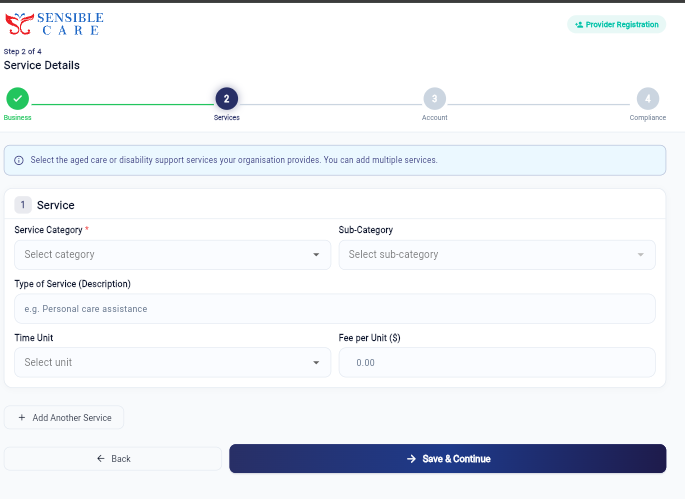
Service Configuration
Providers can:
- Select service categories
- Define sub-categories
- Add service descriptions
- Configure billing units
- Set service pricing
Multiple Services
If your organisation provides multiple services:
- Click + Add Another Service
- Add additional service entries
- Configure pricing and billing individually
Supported billing units may include:
- Hourly
- Daily
- Per Session
Once completed, click Save & Continue.
Account Information
The Account Information section is used to configure payment and banking details.
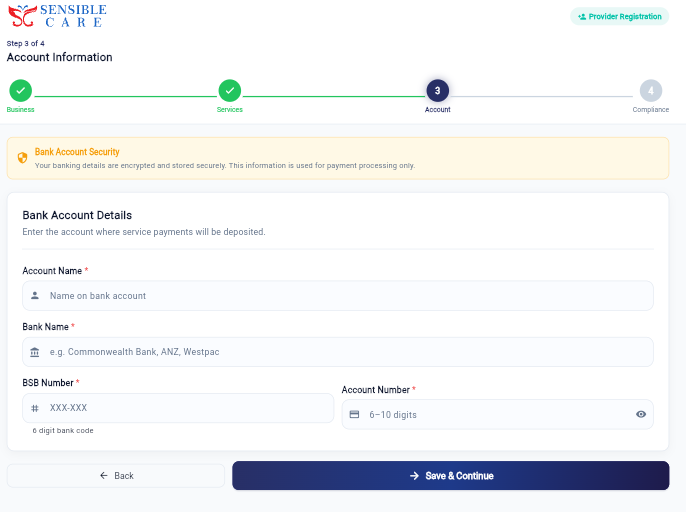
Banking Details
Providers are required to enter:
- Account Name
- Bank Name
- BSB Number
- Account Number
All banking information is encrypted and securely stored within the platform.
Ensure banking details are verified before submission.
Compliance Documents
The Compliance Documents section manages provider verification and document submissions.
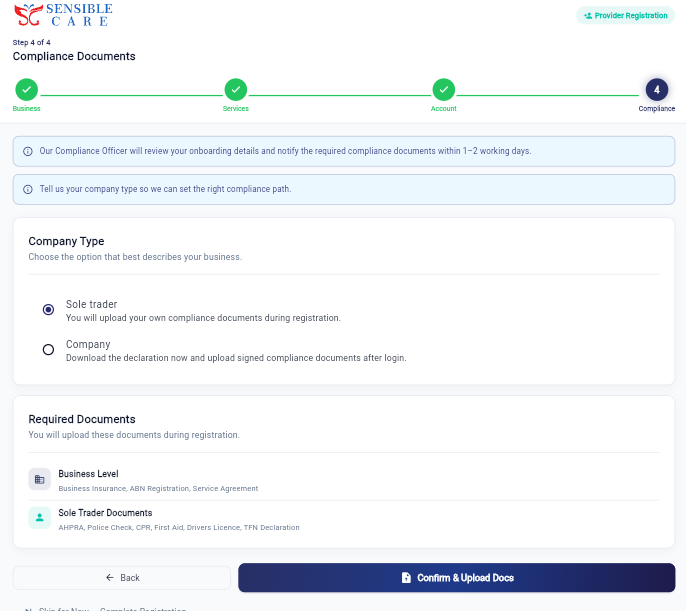
Providers must select their company type:
- Sole Trader
- Company
Required Business Documents
All providers may be required to upload:
- Business Insurance
- ABN Registration
- Service Agreement
Sole Trader Compliance Documents
Additional documents may include:
- AHPRA Registration
- Police Check
- CPR Certificate
- First Aid Certificate
- Drivers Licence
- TFN Declaration
Our Compliance Team will review submitted documents and notify providers of approval status.
Company providers may be required to download and sign additional declaration forms before approval.
Completing Registration
After reviewing all onboarding information:
- Upload required compliance documents
- Review entered information
- Submit the registration
Some providers may see a Skip for Now / Complete Registration option depending on onboarding status.
Incomplete documentation may delay approval.
Support
If you experience any issues during onboarding, contact the Sensible Care support team.
- Email: support@sensiblecare.com.au
- Platform: https://sensiblecare.com.au